nanoGPT Lightning Example
This is an example showing how to parallelize nanoGPT with nnScaler and Lightning trainer.
This example contains one single script, train_nnscaler.py, besides the original nanoGPT repo.
Get Started
Installation
Clone nnScaler repo
git clone --recursive https://github.com/microsoft/nnscaler
Install dependencies (including nanoGPT’s dependencies) and nnScaler from source
cd nnscaler
pip install -r requirements.txt
pip install -e .
Prepare dataset
python nanoGPT/data/shakespeare_char/prepare.py
Test with Single GPU
Now you can run train_nnscaler.py with torchrun:
torchrun --standalone --nproc_per_node=1 train_nnscaler.py nanoGPT/config/train_shakespeare_char.py
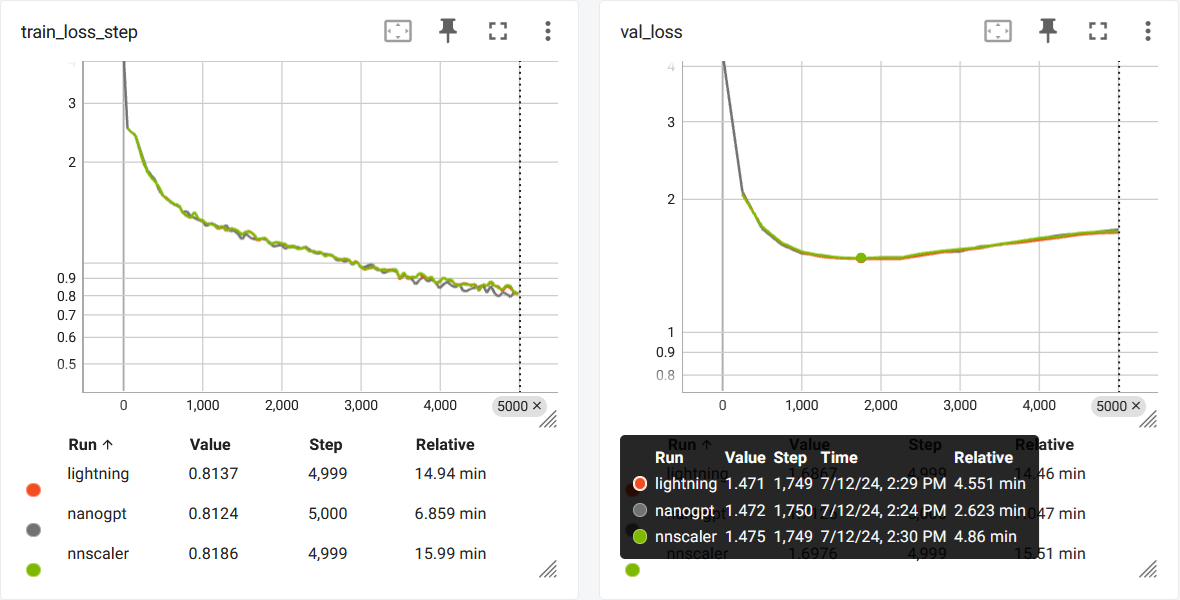
This will train a baby GPT model on a single GPU. It will take several minutes and the best validation loss will be around 1.47.
Get Distributed
nnScaler is meant for distribution. For the current release, we are focusing on data parallel.
If you have 4 GPUs on one node:
torchrun --standalone --nproc_per_node=4 train_nnscaler.py nanoGPT/config/train_shakespeare_char.py
Or if you have multiple nodes, for example 2 nodes with 4 GPUs each:
# on each node
torchrun --nnodes=2 --nproc_per_node=4 --rdzv-id=NNSCALER_NANOGPT --rdzv-backend=c10d --rdzv-endpoint=<IP> \
    train_nnscaler.py nanoGPT/config/train_shakespeare_char.py
NOTE: The local batch size is fixed by default, so using more workers will result in larger total batch size.
Tensor Parallel (Experimental)
nnScaler will support tensor parallel and hybrid parallel in following release. You can try this feature now, but its stability and parity has not been strictly verified yet.
Using data parallel: (each model instance runs on 1 GPU, 4 instances using DP)
torchrun --standalone --nproc_per_node=4 train_nnscaler.py nanoGPT/config/train_shakespeare_char.py --plan_ngpus=1 --runtime_ngpus=4
Using model parallel: (a model instance runs on all 4 GPUs, no DP)
torchrun --standalone --nproc_per_node=4 train_nnscaler.py nanoGPT/config/train_shakespeare_char.py --plan_ngpus=4 --runtime_ngpus=4
Using hybrid parallel: (each model instance runs on 2 GPUs, 2 instances using DP)
torchrun --standalone --nproc_per_node=4 train_nnscaler.py nanoGPT/config/train_shakespeare_char.py --plan_ngpus=2 --runtime_ngpus=4
Resuming
You may resume an interrupted training:
torchrun --standalone --nproc_per_node=1 train_nnscaler.py nanoGPT/config/train_shakespeare_char.py --init_from=resume
This will load the latest checkpoint saved by Lightning.
For distributed environments, checkpoints must be merged when the environment changes. Check the reference for details.
The Code
The example code train_nnscaler.py is modified from nanoGPT’s train.py.
The modification consists of two parts, (1) porting to Lightning trainer and (2) using nnScaler for distribution.
The Lightning port is not the point of this example. Check the source code if you are interested.
To parallelize the lightning model with nnScaler, there are 2 noteworthy places:
Define the forward function and declare it’s inputs:
class LitModel(L.LightningModule):
    def __init__(self):
        super().__init__()
        self.model = model
        self.dummy_forward_args_fn = lambda batch: {'x': batch[0], 'y': batch[1]}

    def forward(self, x, y):
        _logits, loss = self.model(x, y)
        return loss
A separate forward function is required because nnScaler will only parallelizes the codes in
forward(), and will not touch those intraining_step().And then, a special function
dummy_forward_args_fnneed to be defined to theLightningModule. It takestraining_step()’sbatchargument, and returns adictpresentingforward()’s parameters. This function will be used to trace the module’s forward graph.Register nnScaler’s strategy and plugin to the Lightning trainer:
compute_config = ComputeConfig(plan_ngpus, runtime_ngpus, constant_folding=True)
strategy = NnScalerStrategy(compute_config=compute_config, pas_policy='autodist')
plugins = [NnScalerPrecision(precision)]

trainer = L.Trainer(strateg=strategy, plugins=plugins, ...)
For data parallel, always set
plan_ngpusto 1 and setruntime_ngpusto the total GPU number.Other parameters are used for performance (efficiency) tuning.
Parity and Limitations
Single GPU
For comparison, you can run the script without using nnScaler:
torchrun --standalone --nproc_per_node=1 train_nnscaler.py nanoGPT/config/train_shakespeare_char.py --use_nnscaler=False
This will result in a similar loss curve:
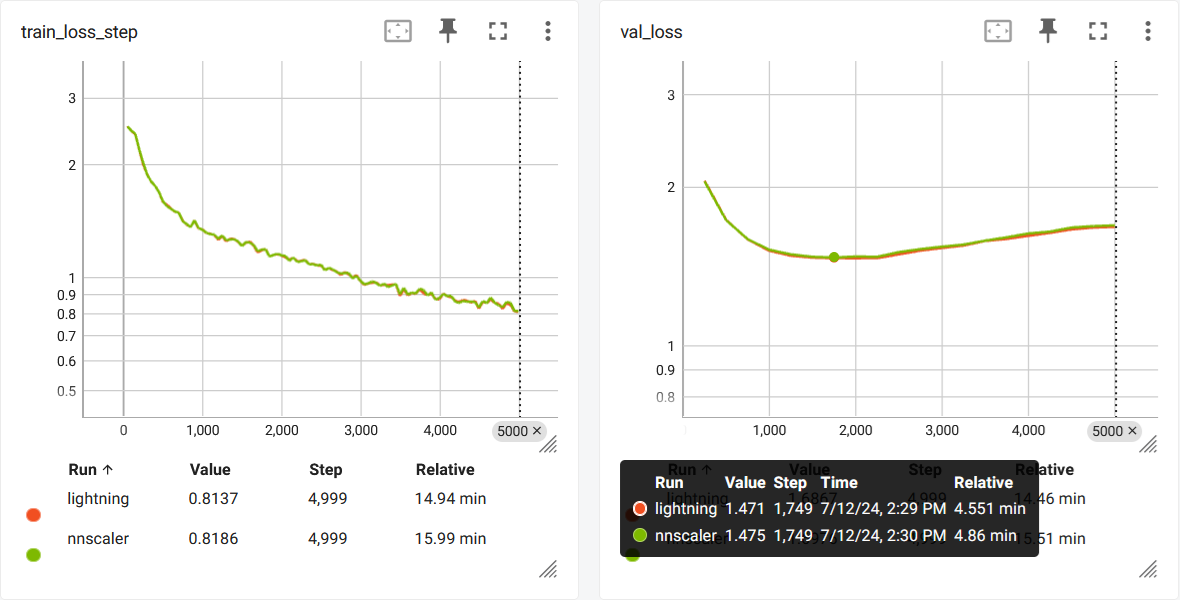
There are several causes for the mismatch:
nnScaler and Lightning have slightly different gradient clip implementation.
It cannot fully syncronize the random state for dropouts.
PyTorch is not deterministic by default.
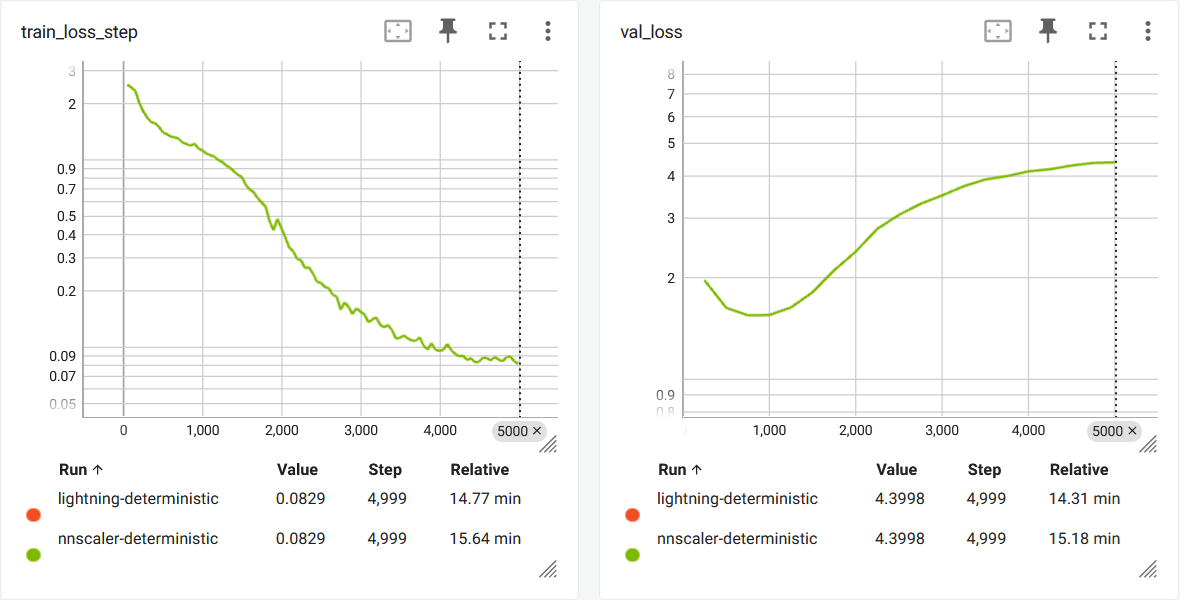
To get a perfectly matched curve, use the following command: (The overfitting is significant due to the lack of dropout)
torchrun --standalone --nproc_per_node=1 train_nnscaler.py nanoGPT/config/train_shakespeare_char.py --deterministic=True
torchrun --standalone --nproc_per_node=1 train_nnscaler.py nanoGPT/config/train_shakespeare_char.py --deterministic=True --use_nnscaler=False
Data Parallel
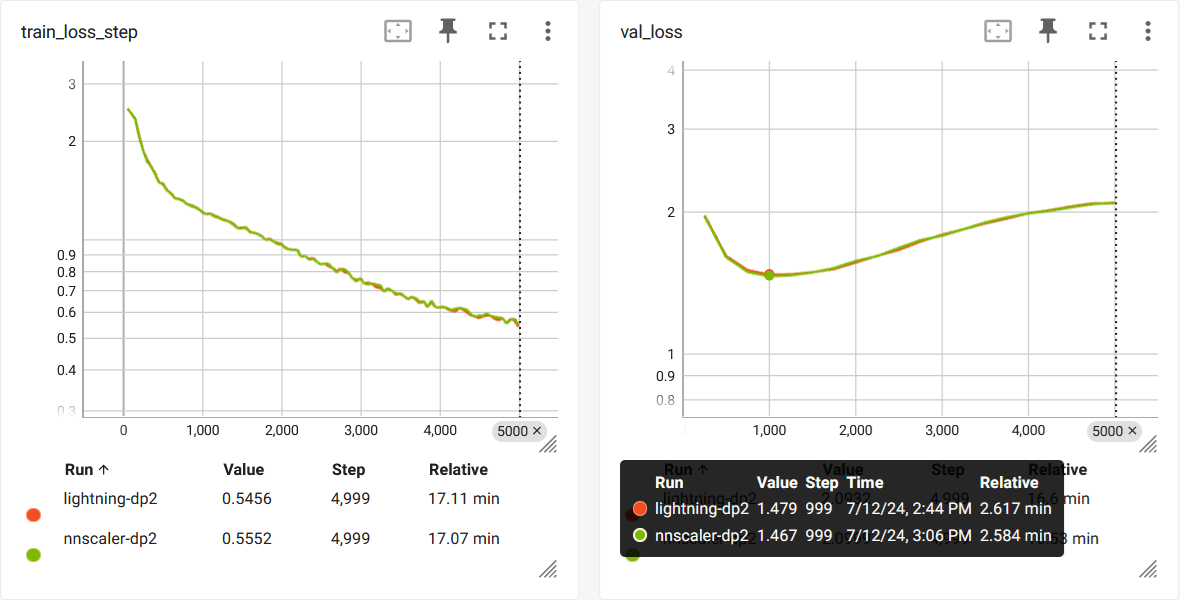
Here is a comparison between nnScaler’s and Lightning’s builtin data parallel:
The curve is not fully reproducable due the nature of parallel.
The Lightning Port
The Lightning port is not exactly the same as the original nanoGPT training script for the following reaons:
The Lightning
Traineris different from nanoGPT’s training loop.nnScaler currently lacks the support for multiple parameter groups, and therefore the weight decay is configured for all parameters.